Interactive Players

Interactive Players

Welcome to our range of professional interactive players, versatile media devices that combine high-quality audio or video playback with smart control features for modern commercial AV installations. These advanced players go beyond standard media playback by offering interactive triggering, scheduling, and integration capabilities.

Our interactive players support popular audio formats including MP3 and WAV, whilst the Waves VP320 supports video playback up to 4K resolution.

Many models include features such as built-in amplifiers, SD card and USB playback, network connectivity (Ethernet/Wi-Fi), contact closures for external triggers, and advanced control protocols such as DMX and ArtNet, making them perfect for automated and interactive applications.

These interactive media players are widely used in shopping centres and retail stores for engaging promotional audio and video loops, museums and visitor attractions for interactive exhibits, hotels and conference venues for scheduled announcements and background music, gyms and leisure facilities, schools and universities, and entertainment spaces for event triggering and show control. They are also ideal for webradio broadcasting and automated messaging systems.

Whether you need simple scheduled playback or sophisticated interactive control that responds to sensors, buttons, or timers, our commercial interactive players deliver reliable 24/7 performance and seamless integration with PA systems and AV setups.

Explore our range of interactive audio players, amplified media players, DMX audio players, and intelligent event controllers to create dynamic and engaging audio-visual experiences.

Brand
Type
Audio Functions
Interactive Functions
Amplifier Power
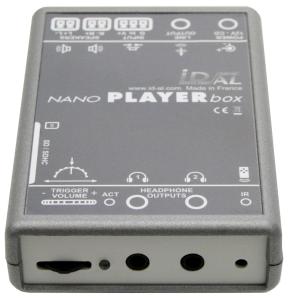
Waves System NanoPlayer Box+

Amplified audio player for MP3/WAV files. 2 x 8w output. Line level & headphone out.

see more
List Ex VAT: £238.42
Net Ex Vat: Log in
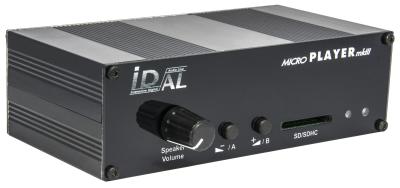
Waves System MicroPlayer MKIII+

Interactive SD card / USB audio player with integrated 2 x 20 watt amplifier. IR remote control.

see more
List Ex VAT: £275.24
Net Ex Vat: Log in
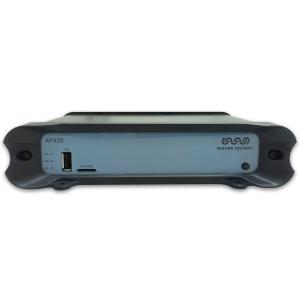
Waves System AP420

Audio player & scheduler for broadcasting webradio or local audio sources. Now Wi-Fi compatible.

see more
List Ex VAT: £367.29
Net Ex Vat: Log in
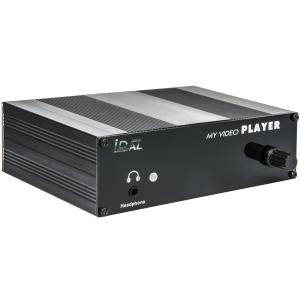
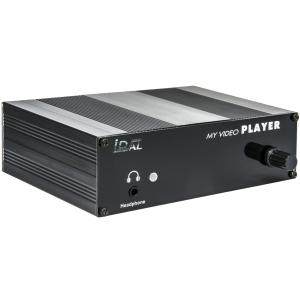
Waves System My Video Player (VP320)

4K Video player. 2 x 8 watt amplifier. 1 input contact. Built in 4GB memory. Accepts microSD cards and USB flash drives.

see more
List Ex VAT: £431.73
Net Ex Vat: Log in
Waves System VP330 'My Video Player'

4K Video player. 2 x 8 watt amplifier. 1+8 input contacts, 8 output contacts. Built in 4GB memory. Accepts microSD cards and USB flash drives.

see more
List Ex VAT: £505.38
Net Ex Vat: Log in
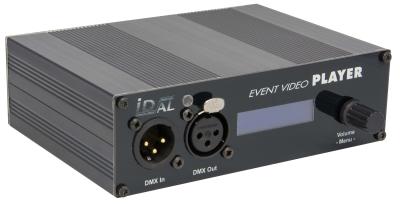
Waves System Event Video Player EVP380

Interactive 4K Video/Audio/DMX/ArtNet player & show controller. Integral 2 x 20 watt amplifier. 8+1 inputs, 8 outputs.

see more
List Ex VAT: £1,287.84
Net Ex Vat: Log in
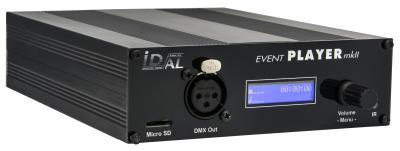
Waves System Eventplayer mkII EP230 Archived

Interactive MP3/WAV/DMX audio player, ethernet show controller. Integral 2 x 20 watt amplifier. 8+1 inputs, 8 outputs.

see more
List Ex VAT: Contact Us
Net Ex Vat: Log in

FAQs

What is an interactive media player?

It plays audio or video when something happens — a button, a sensor, a timer or a contact closure — rather than only looping a playlist. Typical sites are museums, visitor attractions, retail displays, hotels and show-control spaces.

How is an interactive player different from a normal media player?

A media player repeats USB or CD audio into a PA. An interactive player waits for a trigger, can schedule messages, and on larger units can drive lights via DMX or ArtNet. Use a media player for shop BGM. Use an interactive player when the exhibit or display must respond.

How do you start playback on an interactive player?

Common triggers are push buttons, PIR or other sensors, and volt-free contact closures from an external controller. Players in this range also support timers and schedules, so a message can play at opening time without a button.

Can an interactive player drive speakers on its own?

Many units include a small amplifier, typically a few watts per channel, plus a line output. That is enough for a display, headset point or a single cabinet. A whole shop or gallery still needs a commercial mixer-amp or 100V amplifier after the line output.

Do interactive players handle video as well as audio?

Compact units are audio only (MP3 and WAV from SD or USB). Video players in this range play up to 4K from internal memory, microSD or USB, and some add contact inputs and outputs so a screen can start with the sound.

Where are interactive audio players used?

Museum exhibits, heritage displays, retail windows, visitor centres and themed attractions, where a visitor presses a button or walks into a zone and hears a clip. They also suit scheduled announcements in hotels, gyms and schools when a simple BGM player is not enough.

What is a show controller or DMX audio player?

It plays the soundtrack and sends lighting cues over DMX or ArtNet, so audio and lights stay in sync. That suits small shows, exhibitions and event spaces. It is not a full lighting desk, but it removes the need for a separate player and a separate cue box on a simple install.

Can these players run all day without a PC?

Yes. Files live on SD, USB or internal memory, and the player runs on its own. A PC is only needed to load content. Network and Wi-Fi on some models help with webradio or remote updates; they are not required for a button-triggered clip.

How many triggers does an interactive player need?

A single contact is enough for one button and one message. Players with several inputs and outputs can run a row of buttons, start other devices, and play different clips per sensor. Match the input count to the number of exhibits, not to the size of the room.

Who can help me specify an interactive player?

Commercial Audio Solutions stocks amplified audio players, 4K video players and DMX show controllers for exhibits and retail. Call 01663 767888 or email sales@commercialaudiosolutions.com with how the clip should start (button, sensor or timer) and whether you need audio only or video as well.